
ONE PARTNER FOR YOUR FULL DEVICE LIFECYCLE
Continuum: Device as a
Service for K-12
Let us run your 1:1 program. With Continuum, K-12 Tech’s Device as a Service solution, we bundle your device lifecycle services under one predictable rate. From deployment through end of life, we’ll handle the work for you.
Build Your Continuum Program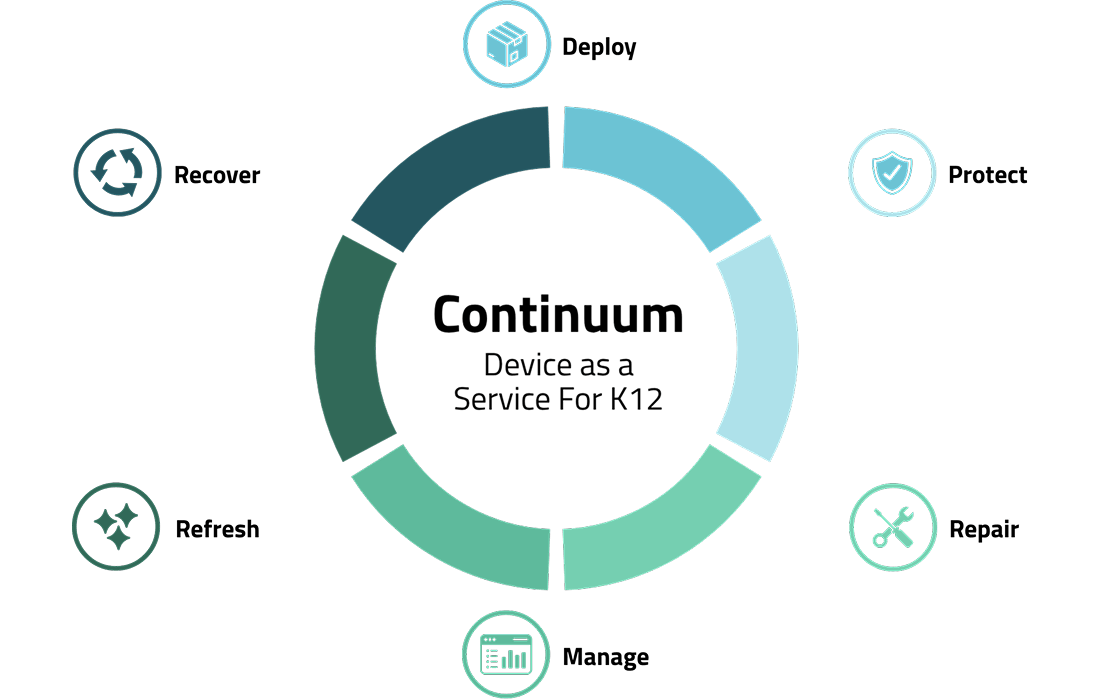

One Dedicated Partner

Flexible Options

Local Service

Fast Repair Turnaround

One Purchase Order
Continuum Solves the Real Problems Districts Face
Running a 1:1 program can pull your team in every direction. Do any of these challenges sound familiar?
 Managing Repair Logistics
 Multiple Vendors + Payments
 Unpredictable Costs
 Waiting on Slow Repairs
 Managing Summer Device Processing
 Lack of Clear Device Data
 Losing End-of-Life Device Value
How Continuum Makes It Easier
Continuum brings your device lifecycle services together, so you’re not managing each piece separately. See how each part works together to solve the challenges your team faces.
One Program Built Around Your Entire Lifecycle
Instead of managing repairs, software, summer processing, and other device needs separately, Continuum bundles your lifecycle services together under one program.
Every Continuum program includes:
- Accidental Damage Protection + Extended Warranty
- Summer Refresh
- Rocket: All-In-One Asset Management and Help Desk Software
Available Add-Ons:
- White Glove Deployment
- End-of-Life Buyback*
*Eligible Buyback credit can be applied toward your next year’s program.
Get a Continuum Quote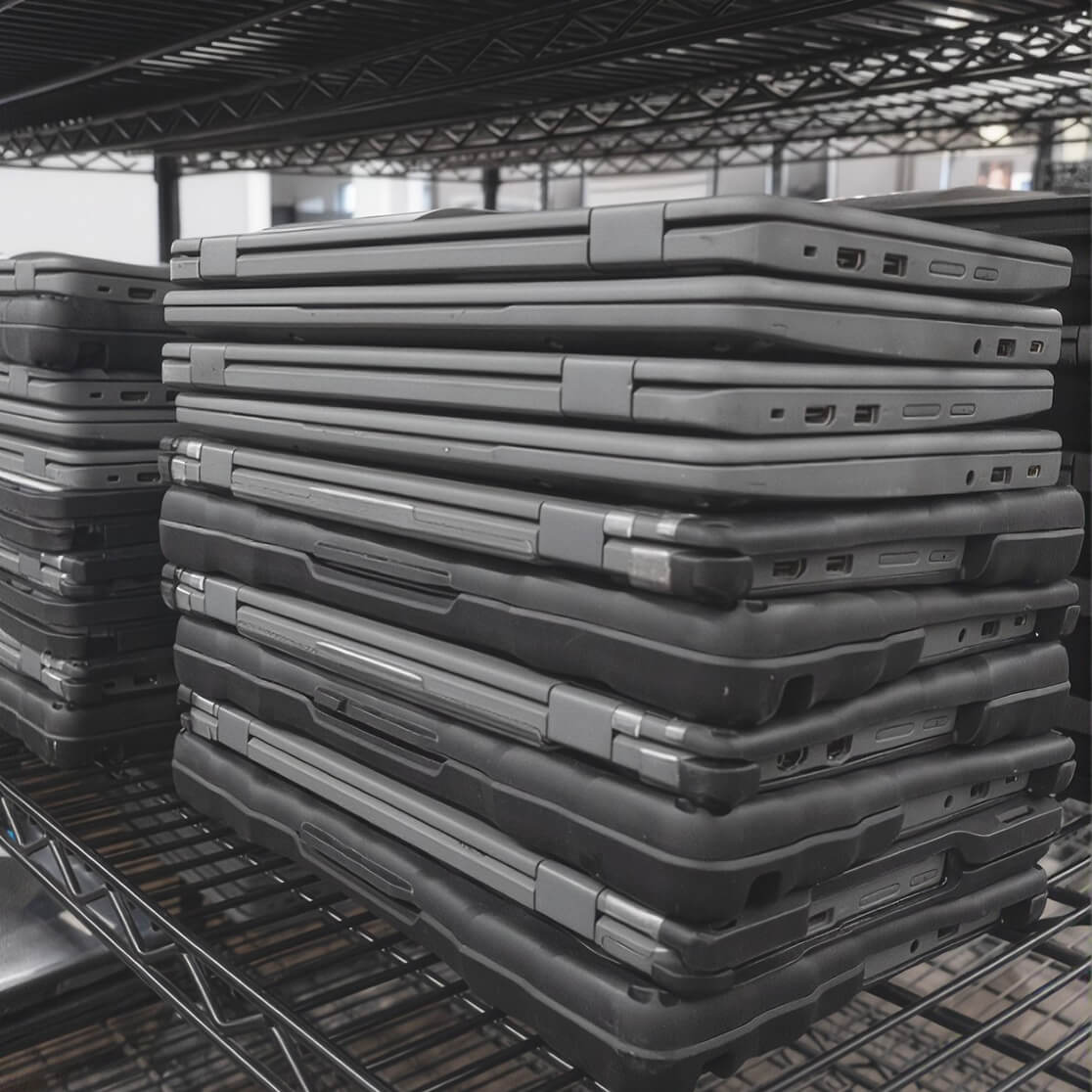
Start the School Year Ready
Getting thousands of new devices out of boxes, configured, documented, and into classrooms takes time your team could be spending elsewhere.
Add White Glove Deployment to Continuum, and we’ll prepare your new devices to your specifications before they reach your schools.
What’s Included in every White Glove:
- Device unboxing
- MDM enrollment
- Inventory registration with device serial numbers
- Dead-on-arrival (DOA) screening
- Green bulk packing and delivery to your building(s).
Plus, we offer customization options including asset tagging, laser engraving, case installation, and more!.
Get a Continuum Quote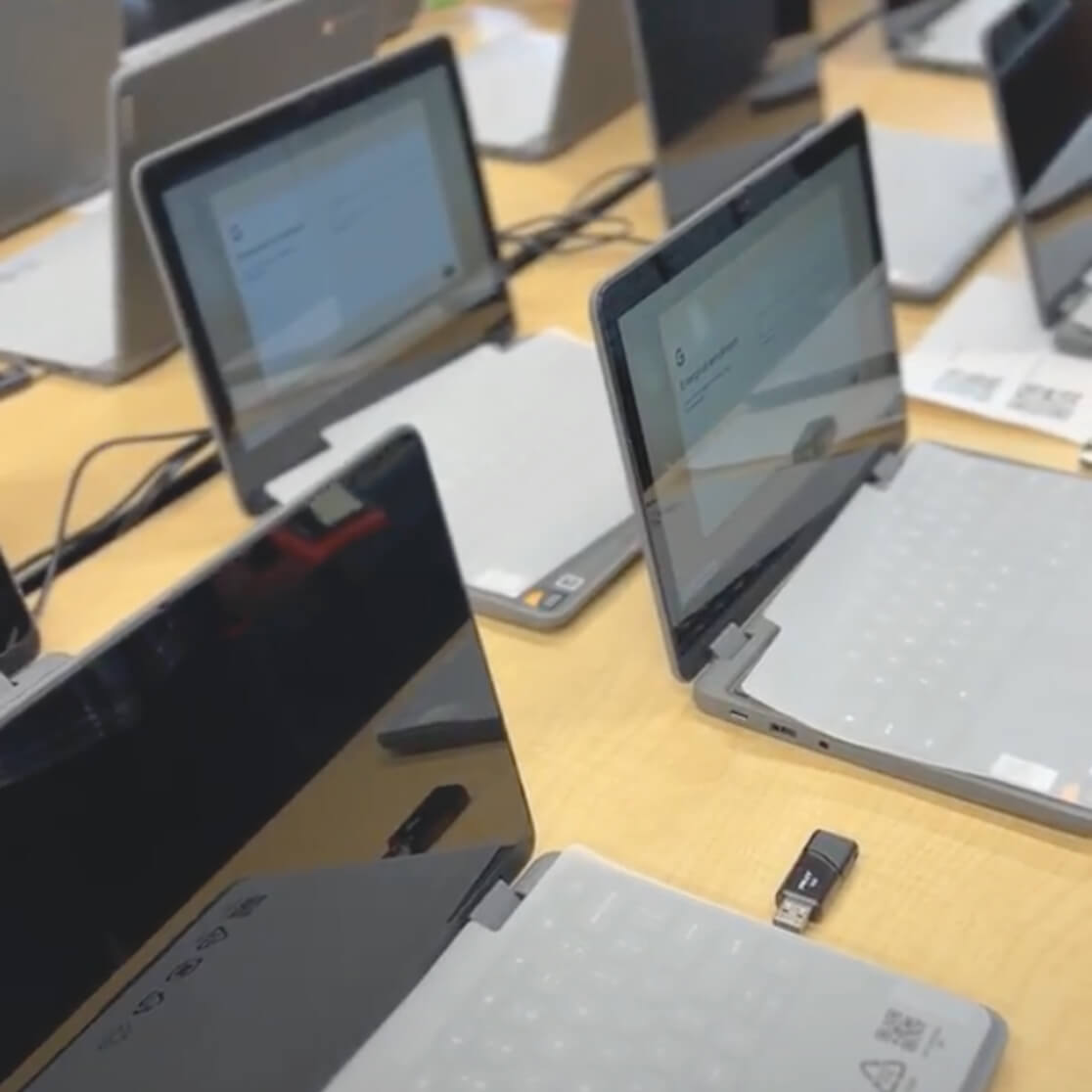
Unlimited Repairs on Every Device
Broken devices shouldn’t mean unexpected costs, complicated claims, or students waiting weeks for a working device. With Accidental Damage Protection + Extended Warranty, enrolled student and staff devices get unlimited repair support.
Your program includes:
- Unlimited covered repairs with no per-incident deductible or claim limit
- Repairs even when the cost exceeds the device’s value
- Weekly pickup and drop-off on local routes
- Repairs completed by our certified technicians
- 7-day average repair turnaround
The result? Fewer repair logistics for your team, more predictable costs, and devices back in students’ hands faster.
Get a Continuum Quote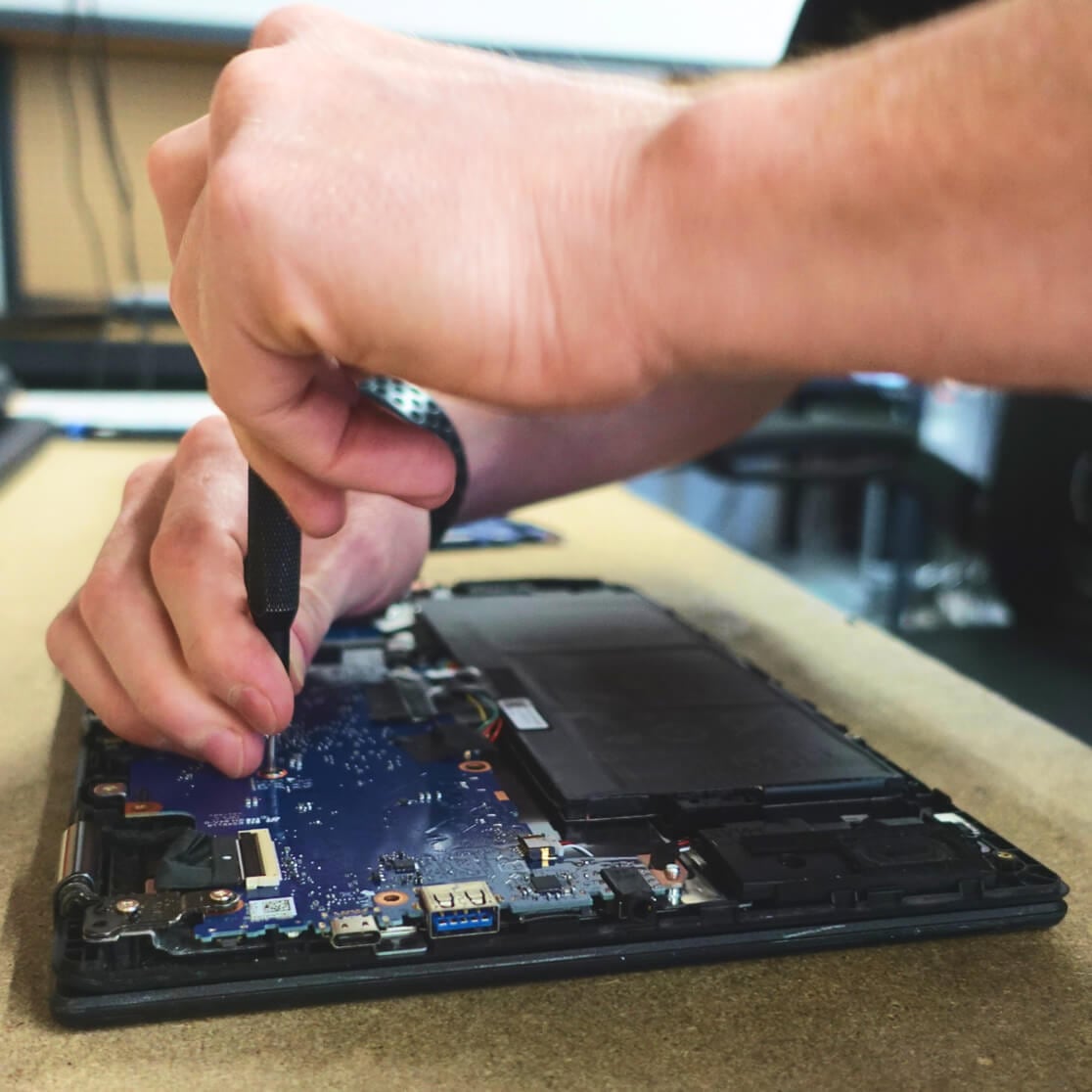
Rocket: All-in-One Asset Management Software
Included with Continuum, Rocket gives your team one place to manage devices, submit repairs, track their progress, and see the data behind your program.
With Rocket, you can:
- Submit repair tickets and monitor their status from start to finish
- Track devices, users, and repair history
- Create shipping labels for mail-in repairs
- Run device audits and keep inventory records up to date
- Set up a custom help desk for technology and maintenance requests
- View real-time data through dashboards and reports
Better visibility means fewer spreadsheets, fewer disconnected processes, and better information when it’s time to make device decisions.
Get a Continuum Quote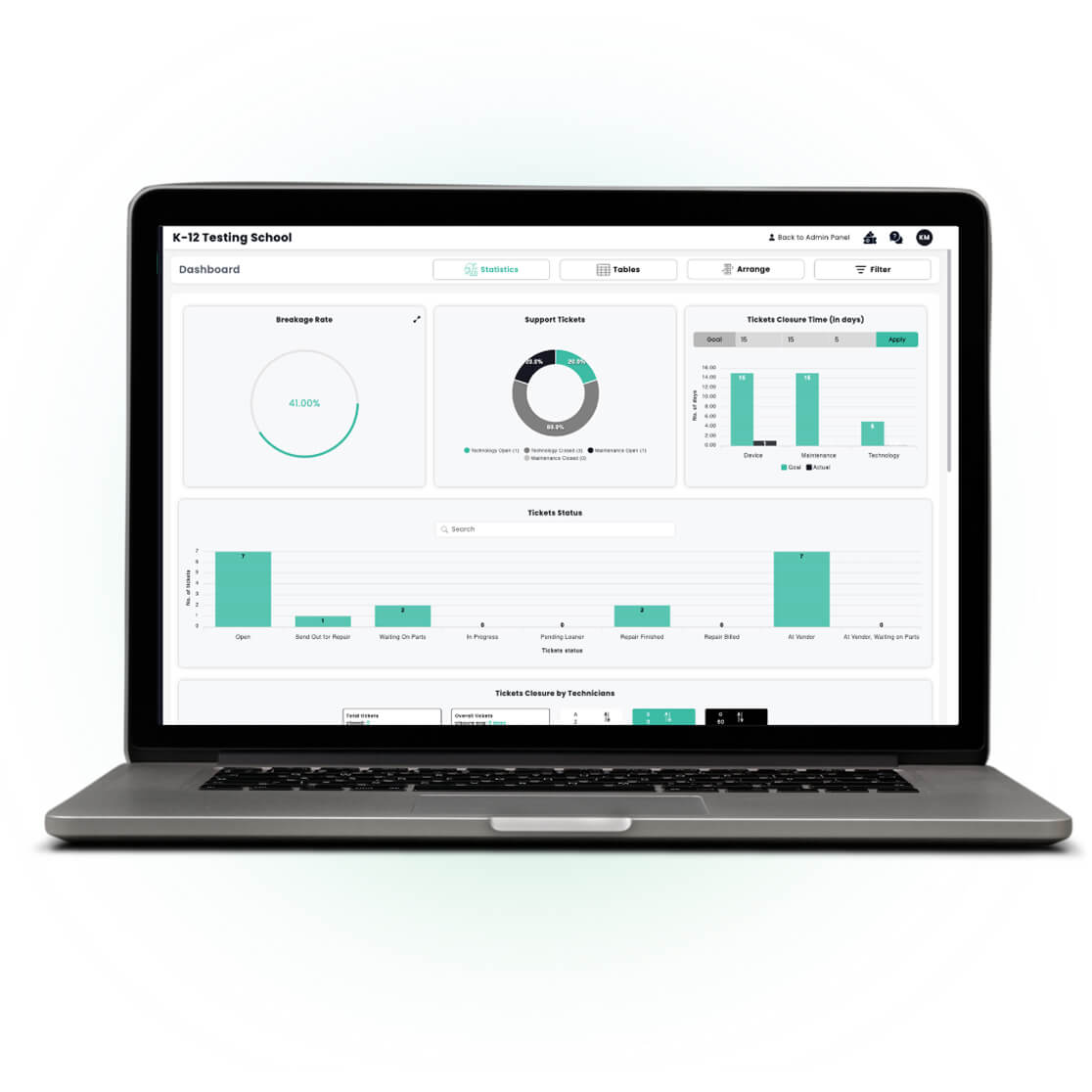
Give Your Team Their Summer Back
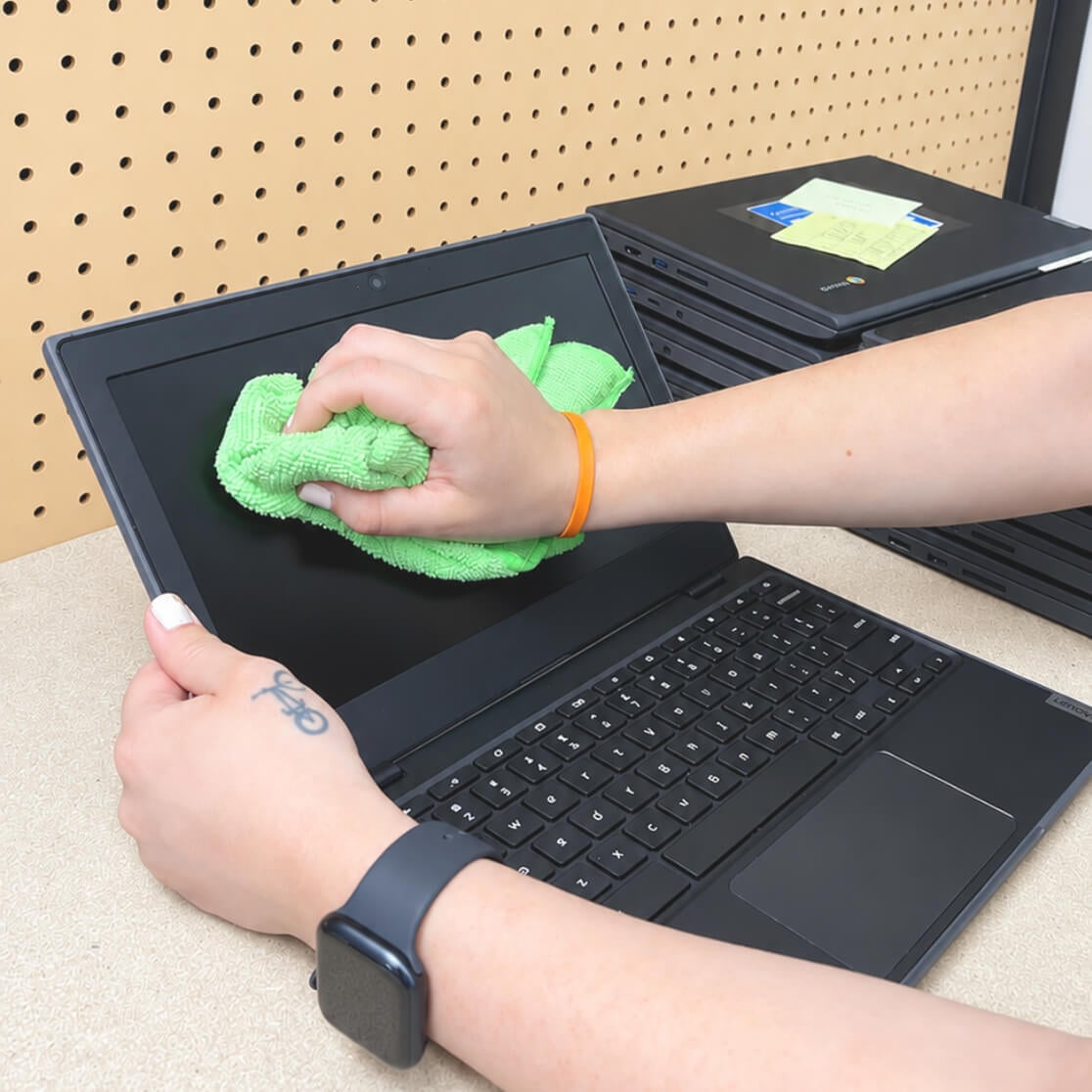
Summer device processing can mean thousands of devices to collect, inspect, repair, reset, and prepare before students return. With Continuum, we’ll take that work off your team’s plate.
Your Summer Refresh includes:
- Pick up your enrolled devices
- Test each device for damage and functionality
- Document any issues and complete covered repairs
- Flag devices past their update expiration or beyond repair
- Reset or re-enroll devices as needed
- Return refreshed devices ready to hand to students
- Your team gets time back, and your devices come back ready for another school year.
Recover Value From Retired Devices
Devices lose value the longer they sit. At the end of each year, we’ll evaluate your retired devices to recover any remaining value and responsibly recycle the rest.
With Buyback, we’ll:
- Value working and non-working devices without complicated cosmetic grading
- Coordinate free pickup or shipping
- Securely erase and shred hard drives
- Provide an itemized report of your devices
- Recycle equipment with no remaining resale value
Choose cash or receive 10% more in credit, which can be applied toward your next year’s Continuum program.
Get a Continuum Quote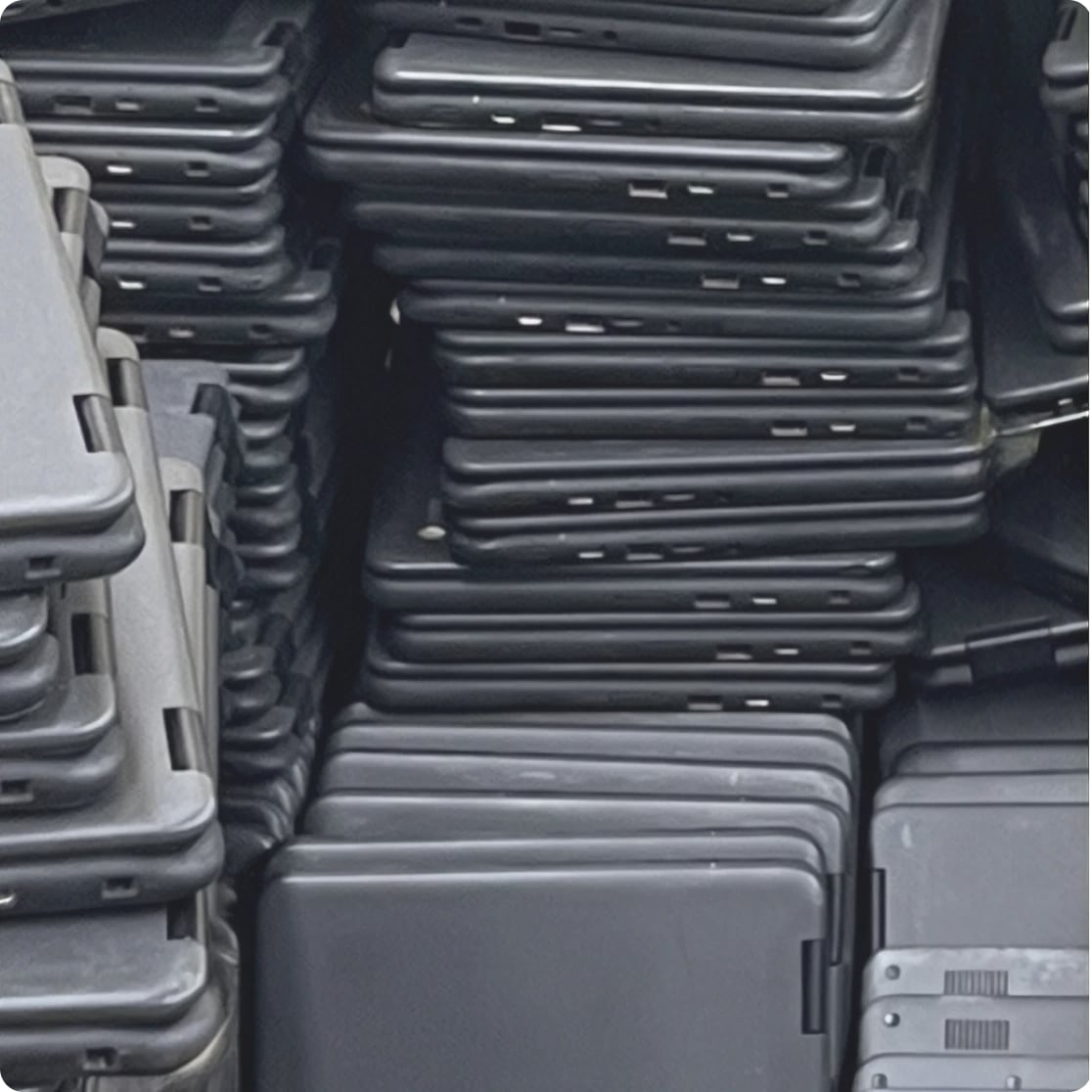
Getting Your Program Up and Running Is Easy
We'll work with your team to build Continuum around your devices, schools, and schedule. Once you're set up, we take care of the day-to-day work.
Meet + Plan
Meet with your Relationship Manager to review your devices, repair history, and district needs. We'll build a Continuum program around how your district operates.
Set Up Rocket
We'll help get your devices and information into Rocket and walk your team through setup, so everything is ready before service begins.
Weekly Repairs
Once your program is live, we'll keep repairs moving with weekly pickup and drop-off on local routes or free shipping for mail-in repairs.
Refresh + Plan Ahead
Each summer, we’ll refresh your devices for the next school year and help you recover value from any that reach end-of-life.
Trusted By 1,700+ Schools Nationwide



Make Your Device Lifecycle Easier to Manage
Let’s build a program that solves the challenges your district is facing. With Continuum, you can stop juggling the day-to-day work and let us handle it all.
Connect With Your Relationship Manager
FAQs
Overview
What is K-12 Tech’s Continuum (Device as a Service)?
Continuum is K-12 Tech’s Device as a Service solution for K-12 school districts. It brings the services needed to manage student and staff devices throughout their lifecycle together under one program and one rate.
Every Continuum program includes:
- Accidental Damage Protection + Extended Warranty
- Summer Tech Refresh
- Rocket: All-in-one asset management and help desk software
White Glove Deployment can be added to any program, and districts also have access to K-12 Tech’s Buyback program to help recover value from any eligible retired devices.
Instead of managing repairs, asset management, summer device processing, and other lifecycle needs separately, Continuum gives districts one K-12 technology partner to help manage devices from deployment through end of life
What is Device as a Service (DaaS) for K-12 school districts?
Device as a Service (DaaS) is an approach to managing school technology that brings device lifecycle services together under one ongoing program rather than managing each service separately.
For K-12 school districts, the device lifecycle can include deploying devices, protecting and repairing them during the school year, tracking device information, preparing fleets over the summer, and eventually retiring aging technology.
K-12 Tech’s Device as a Service solution, Continuum, brings these lifecycle services together to help districts simplify device management, reduce day-to-day workload, and better plan for ongoing device maintenance costs.
How does Continuum help school districts manage the full device lifecycle?
Continuum helps school districts manage devices throughout their lifecycle by connecting the services districts need at each stage under one program.
Depending on the district’s Continuum program, K-12 Tech can support:
- Deployment: Prepare devices for students and staff with White Glove Deployment.
- Protection + Repairs: Provide Accidental Damage Protection + Extended Warranty and ongoing repair service.
- Asset Management: Track devices, repairs, users, inventory, and other device data through Rocket.
- Summer Refresh: Test, repair, and prepare enrolled devices for the next school year.
- End of Life: When devices reach EOL, districts can choose to have K-12 Tech evaluate them for Buyback value.
Bringing these services together gives districts one partner to work with throughout the device lifecycle instead of managing each stage separately.
What are the benefits of Device as a Service for school districts?
Device as a Service can help school districts simplify the work required to manage a large fleet of student and staff devices.
With K-12 Tech Continuum, districts can:
- Work with one dedicated lifecycle partner
- Reduce the number of separate vendors and processes they manage
- Make device repair costs more predictable
- Get devices repaired and returned faster
- Reduce the workload associated with summer device processing
- Keep device and repair information organized in Rocket
- Plan for aging and end-of-life devices
- Bring lifecycle services together under one purchase order
Continuum is designed to take more of the day-to-day device lifecycle work off district teams while keeping devices ready for students and staff.
How does Continuum reduce the number of technology vendors a district has to manage?
Continuum brings multiple device lifecycle services together through K-12 Tech, reducing the need for districts to coordinate separate providers for different stages of their device program.
Instead of working with one provider for device protection, another for repairs, another for summer processing, and another for end-of-life devices, districts can bring these services together through Continuum.
This means fewer vendor handoffs, fewer separate processes to manage, and one partner to work with throughout the device lifecycle.
Why bundle device lifecycle services with Continuum instead of purchasing them separately?
Purchasing device lifecycle services separately can leave district teams responsible for coordinating multiple vendors, processes, payments, and handoffs throughout the year.
Continuum brings those services together under one program. Accidental Damage Protection + Extended Warranty, Summer Tech Refresh, and Rocket are included, with White Glove Deployment and End-of-Life Buyback available as add-ons.
Bundling these services can help districts simplify purchasing, make costs more predictable, reduce administrative work, and create a more consistent process for managing devices throughout their lifecycle.
What problems can Continuum help solve for a school district?
Continuum is designed to address many of the challenges school districts face when managing a 1:1 device program.
These challenges can include:
- Managing repair logistics throughout the school year
- Coordinating multiple vendors and payments
- Dealing with unpredictable repair costs
- Waiting on slow device repairs
- Processing large numbers of devices over the summer
- Keeping accurate device and repair data
- Managing aging and end-of-life technology
- Recovering value from retired devices
By bringing device protection, repairs, asset management, Summer Tech Refresh, and available deployment and Buyback services together, Continuum gives districts a simpler way to manage their device lifecycle.
What’s Included + Program Options
What is included with K-12 Tech Continuum?
Every K-12 Tech Continuum program includes the core services districts need to protect, manage, and maintain their device fleet throughout the school year.
Every Continuum program includes:
- Accidental Damage Protection + Extended Warranty: Unlimited covered repairs for enrolled devices.
- Summer Tech Refresh: Annual device testing, covered repairs, and preparation for the next school year.
- Rocket: K-12 Tech’s asset management and help desk software for tracking devices, repairs, inventory, and other device data.
Districts can also add White Glove Deployment to prepare new devices for students and staff and End-of-Life Buyback to recover value from retired technology.
The exact Continuum program is built around the district’s devices, needs, and lifecycle goals.
Can a school district customize its Continuum program?
Yes. K-12 Tech works with each district to build a Continuum program around its device fleet, current processes, and needs.
Accidental Damage Protection + Extended Warranty, Summer Tech Refresh, and Rocket are included as part of Continuum. Districts can also add services such as White Glove Deployment and Buyback based on where they need additional support.
We’ll review the devices you want to include and build the program around your fleet, giving your district a lifecycle solution that fits how you already operate.
What types of devices can be included in Continuum?
Continuum can support many of the student and staff devices commonly used by K-12 school districts, including Chromebooks, laptops, iPads, tablets, and other eligible devices.
Your Continuum program can include devices already in your fleet as well as new devices added over time. K-12 Tech will review your device makes, models, ages, and other fleet information to build a program and pricing around the devices you want to include.
Can existing district-owned devices be added to Continuum?
Yes. Continuum can be built around a district’s existing device fleet. Districts do not need to purchase new devices or start with a new deployment to enroll in the program.
K-12 Tech will review your current fleet, including device models, ages, and other relevant information, and build pricing around the devices you want to include.
This allows districts to bring their current devices into Continuum and begin managing protection, repairs, asset information, Summer Tech Refresh, and other lifecycle needs under one program.
Do school districts have to purchase devices from K-12 Tech to use Continuum?
No. School districts do not have to purchase devices from K-12 Tech to use Continuum.
Continuum can be built around the devices your district already owns, whether they were purchased through K-12 Tech or another provider. We’ll review your existing fleet and build your Continuum program and pricing around the devices you want to include.
If your district is also bringing in new devices, those devices can be incorporated into your lifecycle plan as well.
What size school districts does K-12 Tech support?
K-12 Tech supports school districts of different sizes, from individual schools and smaller device fleets to large, multi-building districts with thousands of student and staff devices.
Continuum is customized around the district’s fleet, schools, service needs, and schedule rather than requiring every district to use the same program. This allows K-12 Tech to build a device lifecycle program around how each district actually operates.
Is Continuum available to school districts nationwide?
Yes. K-12 Tech supports school districts nationwide.
Districts within eligible local service areas can take advantage of K-12 Tech’s local pickup and drop-off services. Districts outside local service areas can still use Continuum through K-12 Tech’s mail-in shipping options.
Your district may qualify for local pickup and drop-off even if you’re outside our standard service areas. Ask your Relationship Manager to check eligibility.
Service logistics are planned around the district’s location and Continuum program so schools can access lifecycle support whether or not they are located near a K-12 Tech service location.
How do I know if Continuum is a good fit for my district?
Continuum may be a good fit for districts looking for a simpler way to manage multiple parts of their device lifecycle under one program.
A district may benefit from Continuum if its team is:
- Managing frequent student or staff device repairs
- Coordinating multiple vendors for different device services
- Looking for more predictable device repair costs
- Spending significant time managing repair logistics
- Processing large numbers of devices each summer
- Managing device and repair information across separate systems or spreadsheets
- Looking for a better way to plan for aging and end-of-life devices
- Trying to reduce the day-to-day workload of managing a 1:1 device program
K-12 Tech works with each district to review its current device program, needs, and goals and determine how Continuum could fit into its existing processes.
Pricing + Purchasing
How much does K-12 Tech's Continuum cost?
Continuum pricing is customized based on your district’s device fleet and program needs.
K-12 Tech will review your existing fleet, including the devices you want to enroll, and build a Continuum program and rate around your district. Your program includes Accidental Damage Protection + Extended Warranty, Summer Tech Refresh, and Rocket, with services such as White Glove Deployment and End-of-Life Buyback available as add-ons.
Contact K-12 Tech for a customized Continuum quote based on your district’s fleet and lifecycle needs.
Is Continuum priced per device?
Yes. Continuum brings your included device lifecycle services together under a per-device rate.
Rather than separately budgeting for Accidental Damage Protection + Extended Warranty, Summer Tech Refresh, and the other services included in your program, Continuum gives your district a more predictable way to plan for device lifecycle costs.
Your rate is built around your district’s fleet and Continuum program.
What factors determine a district’s Continuum rate?
Continuum pricing is based on your district’s device fleet and the program you build with K-12 Tech.
Factors that may affect your Continuum rate include:
Number of devices enrolled
- Device makes and models
- Age of the devices in your fleet
- Services included in your Continuum program
- Additional deployment or lifecycle needs
K-12 Tech will review your fleet and needs with your team before providing a customized Continuum quote.
Does the Continuum rate stay the same throughout the contract?
Yes. With K-12 Tech Continuum, the cost per device for protection stays the same throughout the contracted coverage period.
This fixed rate helps school districts plan for device protection and repair expenses without worrying about unexpected price increases during the contract. By keeping device protection costs predictable, Continuum makes it easier for districts to manage their technology budgets year after year.
Does Continuum combine device lifecycle services under one purchase order?
Yes. Continuum brings multiple device lifecycle services together under one program and one purchase order.
Instead of separately purchasing and managing Accidental Damage Protection + Extended Warranty, Summer Tech Refresh, asset management, and other included services, districts can manage their Continuum program through K-12 Tech.
This helps simplify purchasing, reduce separate payments and vendor management, and make device lifecycle costs easier to plan for.
What purchasing cooperatives can schools use to purchase Continuum?
K-12 Tech participates in purchasing cooperatives and contracts that can help school districts simplify the purchasing process for Continuum.
Available purchasing options include: TIPS, OMNIA, GoodBuy, ESCI, ESCNJ, ESC Region 18, SETX, Wayne RESA, KPC, and more!
Available contracts may vary by location and program needs. Your K-12 Tech Relationship Manager can help identify the purchasing option that works best for your district.
Can K-12 Tech work with a district's existing purchasing process?
Yes. K-12 Tech can work with your district to determine the best purchasing path for your Continuum program.
Your Relationship Manager can review your district’s purchasing requirements, available cooperative contracts, and Continuum program needs to help your team through the purchasing process.
Once your program is established, Continuum brings your included lifecycle services together under one purchase order, helping simplify ongoing purchasing and vendor management.
Getting Started
How do I get started with K-12 Tech’s Continuum Program?
Getting started with Continuum begins with a conversation about your district’s current device fleet, processes, and needs.
Your K-12 Tech Relationship Manager will work with your team to:
- Review your existing devices and lifecycle needs
- Build a Continuum program around your district
- Set up your devices and information in Rocket
- Establish your repair and service process
- Plan for ongoing services such as Summer Tech Refresh
Once your program is set up, K-12 Tech handles the ongoing lifecycle services included in your Continuum program.
What information does K-12 Tech need to build a Continuum program?
To build your Continuum program and provide accurate pricing, K-12 Tech will need information about your district’s current device fleet and service needs.
Helpful information can include:
- Number of devices
- Device makes and models
- Age of your devices
- Current repair needs or repair history
- Schools or buildings included in the program
- Current device management processes
- Services your district wants to include
Your Relationship Manager will work with your team to gather the information needed and build a program around your district’s fleet and goals.
How long does it take to get started with Continuum?
The time needed to launch Continuum depends on your district’s device fleet, program size, selected services, and schedule.
K-12 Tech will work with your team to establish a timeline for setting up your Continuum program, importing your device information into Rocket, and preparing for ongoing service.
If your program includes additional services such as White Glove Deployment, the timeline may also depend on the size and requirements of that project.
Deployment
What is K-12 Tech’s White Glove device deployment service?
K-12 Tech’s White Glove service prepares new or existing devices for students and staff before they reach your schools. Instead of requiring your team to unbox, enroll, document, and organize hundreds or thousands of devices, K-12 Tech handles the deployment process for you.
Every White Glove deployment includes:
- Device Enrollment: Enroll devices into your Google Workspace, Microsoft, or MDM.
- Inventory CSV: Record device serial numbers in a clean, importable file
- DOA Screening: Test devices to identify dead-on-arrival issues before delivery.
- Green Bulk Packing: Remove excess packaging and repack devices for easier distribution
Districts can also customize their deployment with services such as asset tagging, case installation, laser engraving, Zero-Touch Enrollment, MAC addressing, OS updates, and device charging.
How does White Glove Deployment work with Continuum?
White Glove Deployment is an optional Continuum service that helps districts start the device lifecycle with devices prepared and ready for distribution.
K-12 Tech prepares devices according to your district’s requirements before they reach your schools. Once deployed, enrolled devices can continue through the rest of your Continuum program with Accidental Damage Protection + Extended Warranty, repair services, Rocket asset management, and Summer Tech Refresh.
Adding White Glove gives districts the option to work with K-12 Tech from the beginning of the device lifecycle instead of starting after devices are already in use
What is included in K-12 Tech’s White Glove service?
Every K-12 Tech White Glove deployment includes the core services needed to prepare devices for your district:
- Device enrollment
- Inventory CSV with device serial numbers
- DOA screening
- Green bulk packing and delivery
Districts can customize their deployment with optional services, including:
- Asset tagging
- Protective case installation
- Laser engraving
- Zero-Touch Enrollment
- MAC addressing
- Operating system updates
- Device charging
The exact setup can be built around your district’s devices and deployment requirements.
Why should a district add White Glove Deployment to its Continuum program?
Adding White Glove Deployment can reduce the time and staff workload required to prepare devices for students and staff.
Instead of spending weeks unboxing, enrolling, documenting, testing, and organizing devices, your district can receive devices that have already been prepared to your specifications.
White Glove can help districts:
- Reduce manual setup work
- Create a more consistent setup across devices
- Identify dead-on-arrival devices before deployment
- Improve device inventory records from the start
- Simplify large device rollouts
- Get devices ready for students faster
Combined with Continuum, White Glove creates a smoother transition from initial deployment into ongoing device protection, repairs, asset management, and Summer Tech Refresh.
Protection + Repairs
What does Accidental Damage Protection + Extended Warranty include with Continuum?
K-12 Tech ADP + Extended Warranty is included with Continuum to help districts manage both accidental damage and eligible hardware failures throughout the coverage term.
Continuum provides:
- Unlimited covered repairs
- Coverage for eligible accidental damage
- Coverage for eligible hardware failures
- No per-incident claim limit
- Repair submission and tracking through Rocket
- Free local pickup and drop-off in eligible service areas or free shipping for districts outside local routes
Coverage is designed to make repair costs more predictable while giving districts a consistent process for getting damaged devices repaired and back to students and staff.
Are repairs unlimited with Continuum?
Yes. Devices enrolled in Continuum receive unlimited covered repairs during the active coverage term.
There is no limit to the number of eligible repairs an enrolled device can receive. If a device is damaged more than once during the coverage term, it can continue to be submitted for covered repairs. This helps districts avoid unexpected per-repair costs and makes repair expenses more predictable across the device fleet.
Is there a deductible or claim limit for Continuum repairs?
No. K-12 Tech Continuum repairs do not have a per-incident deductible or claim limit. Enrolled devices receive unlimited covered repairs throughout the active coverage term.
This means school districts can submit eligible devices for repair as often as needed without worrying about additional deductibles or reaching a maximum number of claims. By eliminating these limits, Continuum helps districts keep repair costs predictable and avoid unexpected expenses throughout the school year.
What types of device damage are covered under Continuum?
Continuum’s Accidental Damage Protection + Extended Warranty covers eligible accidental damage and functional hardware failures that occur during normal school use.
Covered repairs include:
- Cracked LCD screens and digitizers
- Liquid damage
- Broken or non-functional keyboards
- Charging ports and USB ports
- Headphone jacks
- Hinges when damage affects device functionality
- Device casings when damage affects functionality
- Motherboards and internal componentsMotherboards and internal components
- Wi-Fi cards
- Buttons and other mechanical failures
- Eligible battery failures (when battery coverage is included in the district’s plan)
Specific coverage depends on the protection plan and contract selected by the district.
What is not covered under Continuum?
Continuum’s Accidental Damage Protection does not cover:
- Lost or stolen devices
- Cosmetic damage that does not affect device functionality, including hinge covers, rubber feet, and similar cosmetic parts
- Intentional damage or vandalism
- Software issues, software licensing, or data loss
- Accessories such as chargers and cases
- Biohazards or contaminated devices, including bodily fluids, animal waste, mold, hazardous chemicals, or insect or rodent infestations
- Damage that existed before the coverage start date
- Catastrophic damage caused by natural disasters, such as tornadoes or major flooding
Natural disasters, theft, and similar large-scale losses are typically handled through a school district’s property insurance rather than an accidental damage protection plan.
Can older or refurbished school devices be covered under Continuum?
Yes. K-12 Tech Continuum can support a district’s existing device fleet, including eligible older, used, and refurbished Chromebooks, laptops, and other school devices.
Devices must be fully functional when enrolled. K-12 Tech will review the age and condition of your district’s fleet to determine the appropriate coverage terms for the devices included in your Continuum program.
For used devices, the combined warranty and accidental damage claim rate is limited to 30% of the total covered device population during the first 12 months. This initial limit accounts for the possibility of pre-existing issues that may not have been identified when coverage began.
How do school districts submit repairs through Continuum?
Continuum repairs are submitted through Rocket, K-12 Tech’s no-cost asset management and repair tracking platform.
When a device needs repair, your team can scan or locate the device in Rocket, create a repair ticket, and provide information about the issue. The device is then prepared for K-12 Tech pickup or shipping.
Using Rocket keeps the repair tied to the device record, giving your team one place to submit repairs and follow their progress.
How are Continuum repairs picked up and returned?
K-12 Tech provides free weekly pickup and drop-off for Continuum districts within eligible local service areas. Each week, devices are collected on the district’s scheduled route, repaired by K-12 Tech technicians, and returned to the district.
Districts outside K-12 Tech’s local service areas can use free mail-in shipping. Shipping labels can be generated through Rocket, allowing districts nationwide to use the same Continuum repair process.
How long do Continuum device repairs take?
K-12 Tech averages a 7-business-day repair turnaround for Continuum devices. Actual turnaround can vary depending on the repair difficulty, parts availability, shipping time, and other factors. Districts can track each repair through Rocket while the device is with K-12 Tech.
Fast, predictable repair turnaround helps reduce device downtime and get working devices back into the hands of students and staff.
Can school districts track Continuum repairs in Rocket?
Yes. Continuum repairs can be tracked from ticket submission through completion and return in Rocket.
District teams can use Rocket to view information such as:
- Current repair status
- Device repair history
- Repair details
- Parts used
- Other information associated with the device and repair
Because Rocket keeps repair information connected to the device record, districts have better visibility into repair activity across their fleet.
What happens if a Continuum device is beyond economical repair?
If a covered Continuum device is determined to be Beyond Economic Repair (BER), K-12 Tech can replace the device with a comparable new, refurbished, or used device or provide a credit up to the device’s covered value. If the device is replaced, the remaining coverage transfers to the replacement device.
This allows districts to continue receiving value from their Continuum coverage even when repairing a damaged device no longer makes financial sense.
Asset Management
Is Rocket included with Continuum?
Yes. Rocket is K-12 Tech’s no-cost asset management, help desk, repair tracking, and device management platform built specifically for K-12 schools and districts.
Rocket is available at no cost to all schools, even if they are not a K-12 Tech customer or part of Continuum. There is no subscription fee, trial period, or paid upgrade required.
For Continuum districts, Rocket works seamlessly with K-12 Tech’s lifecycle services. Your team can use the same platform to manage device information, submit and track repairs, maintain device history, audit your fleet, and access the data needed to manage devices throughout their lifecycle.
What can school districts manage in Rocket with Continuum?
Rocket gives school districts one platform to manage devices, repairs, help desk tickets, inventory, and other device lifecycle information.
Districts can use Rocket to:
- Track devices, users, warranties, purchase information, and device history
- Submit and monitor repair tickets
- View repair history and parts used
- Generate shipping labels for eligible mail-in repairs
- Audit device fleets and identify missing, unscanned, or unmatched devices
- Manage technology and maintenance help desk requests
- Track parts and inventory
- View reports and dashboards
- Import and export device and user information in bulk
- Sync device and ticket information with Google Admin Console or Incident IQ
For Continuum districts, these tools work alongside K-12 Tech’s lifecycle services, keeping device information and service activity connected in one place.
How does Rocket help districts manage devices throughout the lifecycle?
Rocket keeps device information and history connected throughout the lifecycle, giving districts better visibility into their fleet as devices are used, repaired, refreshed, and eventually replaced or retired.
Districts can use Rocket to maintain device and user records, track warranties and repair history, monitor repairs, audit their fleet, and review lifecycle data over time.
With Continuum, Rocket works directly alongside K-12 Tech’s services, giving your team better visibility into the devices K-12 Tech is helping manage throughout the lifecycle.
Do districts have to replace their current asset management or help desk software to use Continuum?
No. Districts do not have to replace their existing asset management or help desk software to use Continuum.
Rocket can work alongside other systems, allowing districts to use the Rocket features they need while continuing to use their existing platforms. Rocket supports data imports and exports and integrates with Google Admin Console and Incident IQ for device and ticket information.
Continuum districts use Rocket for K-12 Tech repair submission and tracking, helping connect repair activity with the other lifecycle services K-12 Tech provides.
Summer Refresh
What is K-12 Tech’s Summer Tech Refresh program?
K-12 Tech’s Summer Tech Refresh helps districts inspect, repair, and prepare school-issued devices for the next school year.
With Continuum, Summer Tech Refresh is included as part of your program. K-12 Tech picks up enrolled devices, evaluates their condition, completes covered repairs, prepares devices for continued use, and returns them ready for the upcoming school year.
This takes time-consuming summer device processing off your team’s plate while helping make sure your fleet is ready when students return.
What is included with Summer Tech Refresh through Continuum?
Summer Tech Refresh through Continuum includes the services needed to evaluate and prepare your enrolled devices for the next school year.
K-12 Tech will:
- Pick up enrolled devices
- Test devices for damage and functionality
- Document identified issues
- Complete covered repairs
- Identify devices that are past their update expiration or beyond repair
- Reset and re-enroll devices as needed
- Return refreshed devices ready for distribution
Because Summer Tech Refresh is part of Continuum, covered repairs identified during the process can be handled as part of your existing program rather than managed as a separate summer repair project.
What happens if a device needs repair during Summer Tech Refresh?
If K-12 Tech identifies covered damage or a hardware issue during Summer Tech Refresh, the device can be repaired as part of the district’s Continuum program.
K-12 Tech documents the issue, completes the covered repair, and continues preparing the device for the upcoming school year.
This allows districts to address repair needs during the summer instead of discovering damaged or non-functional devices when students return.
Can Summer Tech Refresh help identify devices that should be replaced or retired?
Yes. As devices are evaluated during Summer Tech Refresh, K-12 Tech can identify devices that are beyond repair, past their update expiration, or may no longer make sense to keep in active service.
This gives your district better visibility into the condition of its fleet and can help with planning for device replacement and end-of-life needs.
If devices are identified as EOL, your district can choose to have K-12 Tech evaluate them for Buyback and provide a quote. Buyback credit can then be applied toward the following year’s Continuum cost.
How does Summer Tech Refresh prepare devices for the next school year?
Summer Tech Refresh helps districts start the school year with devices that have already been evaluated and prepared for continued use.
K-12 Tech tests enrolled devices, documents damage, completes covered repairs, identifies devices that may need to be retired, and resets and re-enrolls devices as needed.
Once the refresh is complete, devices are returned to the district ready for distribution to students and staff
How does K-12 Tech pick up and return devices for Summer Tech Refresh?
K-12 Tech handles the logistics for Summer Tech Refresh and works with your district to coordinate a pickup schedule that fits your summer plans.
Our team can pick up enrolled devices using a K-12 Tech box truck, transport them for summer processing, and return the refreshed devices to your district before the upcoming school year. This keeps the transportation and logistics off your team’s plate.
End-of-Life Buyback
What is K-12 Tech’s Device Buyback Program?
K-12 Tech’s Device Buyback Program helps school districts recover value from retired technology.
When your district has devices that are ready to be taken out of service, K-12 Tech can evaluate them and provide a Buyback quote. Districts can choose to receive a check or credit towards K-12 Tech services (10% more value). Equipment without remaining resale value can be responsibly recycled through K-12 Tech.
How does K-12 Tech’s Buyback program work with Continuum?
Device Buyback is a no-cost benefit available to Continuum districts when devices reach the end of their useful life. When your district is ready to retire devices, K-12 Tech can evaluate them and provide a Buyback quote.
Buyback value can be applied toward your next year’s Continuum cost, helping lower the cost of your program.
What happens to end-of-life devices with Continuum?
When devices reach the end of their useful life, your district can choose to have K-12 Tech evaluate them through our Device Buyback Program.
Devices with remaining resale value can receive a Buyback quote, while equipment without resale value can be responsibly recycled. K-12 Tech will also handle pickup or shipping, data erasure, hard drive shredding, and reporting as part of the process.
This gives districts a simple way to manage retired technology instead of allowing unused devices to sit and continue losing value.
Can Buyback credit be applied toward the next year of Continuum?
Yes. Continuum districts can choose credit for eligible Buyback devices and apply that value toward the following year’s Continuum cost.
Districts that choose credit receive 10% more value than the cash Buyback amount, helping put additional value from retired devices back into the district’s device lifecycle program.
Does K-12 Tech securely erase data from retired devices?
Yes. K-12 Tech securely erases data from devices processed through the Device Buyback Program. Hard drives are securely erased and shredded as appropriate, helping districts properly handle data-bearing technology as devices leave their fleet.
K-12 Tech also provides an itemized report so the district has documentation of the devices processed through the program.
How does K-12 Tech determine the value of school devices?
K-12 Tech evaluates retired devices based on factors such as the device type, model, condition, functionality, and current resale value.
After evaluating the devices, K-12 Tech provides the district with a Buyback quote. Devices with no remaining resale value can be responsibly recycled instead.
Because technology typically loses value over time, evaluating devices when they are ready to be retired can help districts recover more of their remaining value.
How does K-12 Tech grade devices for Buyback?
K-12 Tech uses a simple working or non-working grading scale instead of a multi-tier cosmetic grading system.
Working devices are valued as working devices without additional cosmetic grades that can lower their value. This gives districts a simpler, more transparent way to understand what their retired devices are worth.
What happens to devices that no longer have resale value?
Devices without remaining resale value can be responsibly recycled through K-12 Tech.
This allows districts to clear out retired technology through the same process instead of having to find a separate recycling provider for equipment that does not qualify for a Buyback value.